
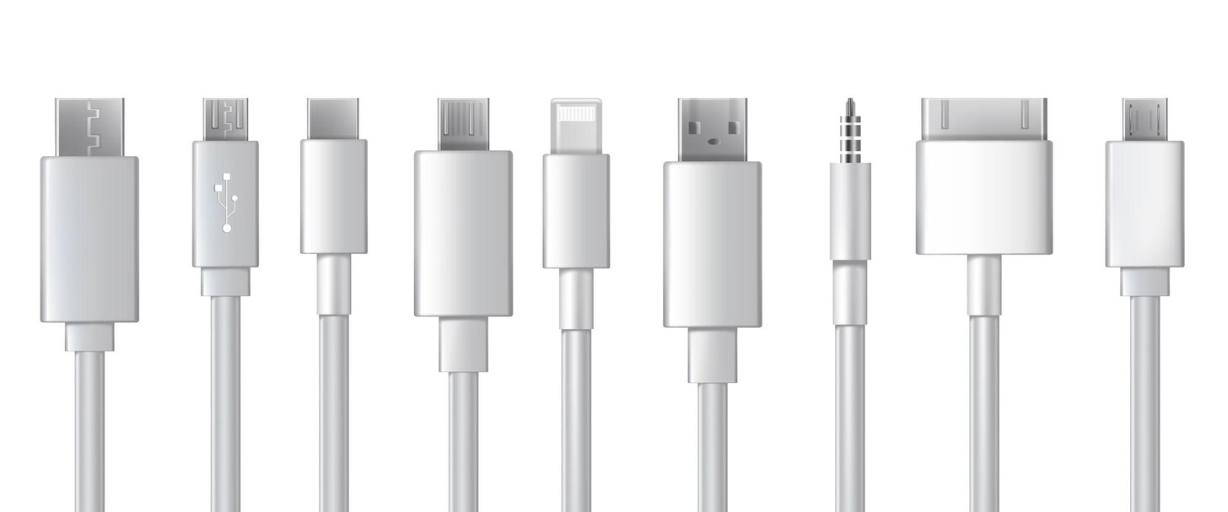
USB cables have become an integral part of our daily digital interactions, enabling seamless connectivity between an ever-growing array of devices. Understanding the types of USB cables and their specific applications is crucial for both personal and professional use. Whether it’s charging a smartphone, connecting a printer, or transferring data between devices, selecting the right cable can enhance performance and efficiency. For a detailed explanation on selecting the appropriate USB cables, you can visit RS Components MY | How to choose USB Cables.
Understanding USB Standards
The Universal Serial Bus (USB) has evolved significantly since its inception in the mid-1990s. Designed to standardise the connection of peripherals to personal computers, the USB standard has undergone several major updates. The primary types of USB technology currently in use include USB 1.0, USB 2.0, USB 3.0/3.1/3.2, and USB 4.
– USB 1.0: The original standard, which offered low data transfer rates up to 1.5 Mbps, is mostly obsolete today.
– USB 2.0: Common in many devices, this standard provides data rates up to 480 Mbps and is still widely used for peripherals such as keyboards and mice.
– USB 3.0/3.1/3.2: These iterations improved data transfer speeds dramatically, with USB 3.1 Gen 2 capable of reaching 10 Gbps. The introduction of USB 3.2 brought even greater speeds up to 20 Gbps, facilitating rapid data transfer.
– USB 4: The latest development integrates Thunderbolt 3 for enhanced performance, achieving data transfer speeds of up to 40 Gbps.
USB Cable Types and Uses
USB cables come in various types, each designed for specific purposes and compatibility issues. The most common types encountered are USB-A, USB-B, USB-C, Mini-USB, and Micro-USB. Each has its own unique design and capabilities.
USB-A
The standard rectangular interface found on many computers and laptops, USB-A is used extensively for connecting devices across multiple technology generations. While it remains prevalent, newer devices are gradually adopting USB-C as the preferred connector type.
USB-B
Typically seen in larger devices like printers and external hard drives, USB-B has a boxier shape. These connectors are being phased out in favour of types offering greater speed and flexibility.
USB-C
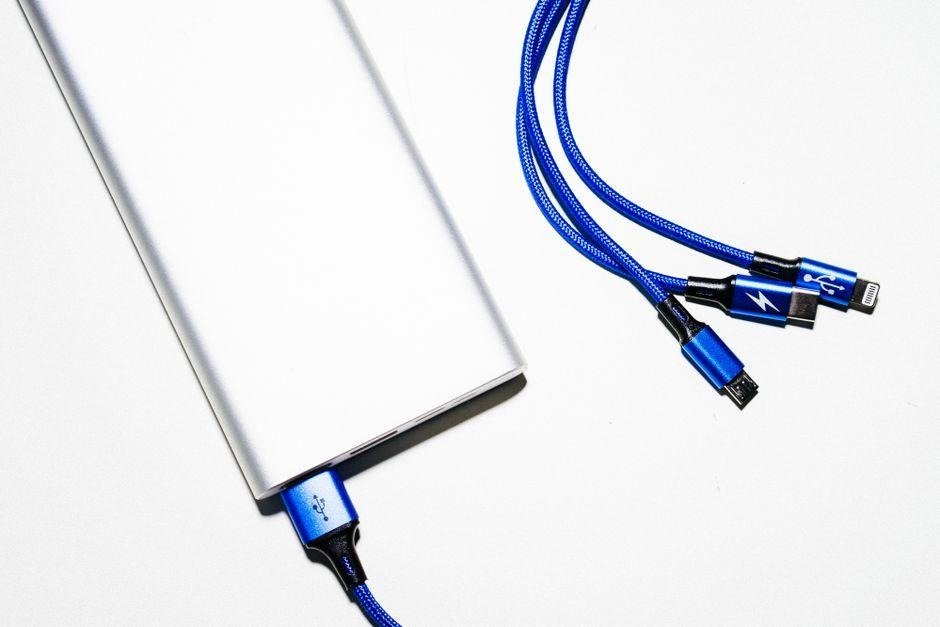
USB-C represents the future of USB technology, supporting high-speed data transfer and power delivery in a compact, reversible design. Unlike previous variants, USB-C is capable of handling video signals, making it ideal for modern computer peripherals and portable devices.
Mini-USB and Micro-USB
These smaller connectors found their niche with portable electronics. Mini-USB was commonly found in older cameras and MP3 players, whereas Micro-USB became prevalent for charging smartphones and tablets. However, the rise of USB-C is superseding both standards.
Compatibility Considerations
When it comes to choosing a USB cable, compatibility is a critical factor. Mismatched standards or connector types can lead to inefficiencies or device malfunction. It’s vital to confirm that both the power source and the receiving device support the same USB specifications. This ensures optimal function and avoids the risk of damaging components.
Data Transfer vs. Power Delivery
Not all USB cables are created equal. Different cables offer varied capabilities for data transfer and power delivery, and it’s important to distinguish between the two. For instance, some cables designed primarily for charging may not support data transfer, and vice versa. Users should pay close attention to cable labels, which often indicate specific capacities. Understanding these differences can prevent potential pitfalls when connecting devices.
Cable Length and Quality
The length and quality of a USB cable can significantly impact performance. Longer cables may suffer from signal attenuation, leading to reduced data transfer rates or charging speeds. To mitigate this, it’s advisable to use shorter cables when possible or invest in premium cables designed to minimise signal loss. High-quality materials in the cable construction can also prolong cable life, offering better resistance to wear and tear compared to cheaper alternatives.
The Significance of USB Power Delivery (USB PD)
USB Power Delivery is a specification that allows devices to charge faster and deliver power more efficiently. This technology takes advantage of the USB-C connector, facilitating rapid charging for a variety of devices including laptops, smartphones, and tablets. USB PD enables devices to negotiate the optimal power level, ensuring they charge as quickly as possible without compromising battery life or device safety.
The Evolution of USB Technology
USB technology continues to evolve, driven by the demand for faster speeds, improved power delivery, and versatile connectivity options. The advent of USB-C and USB 4 signifies a move towards universal compatibility, where a single cable type can handle a wide range of functions. This evolution heralds a future where device connectivity is seamless, efficient, and accessible across diverse platforms.
As the digital landscape becomes increasingly interconnected, the role of USB cables in facilitating technological synergy cannot be understated. From their inception as simple connectors to their current status as high-speed, multi-functional utilities, USB cables represent a cornerstone of modern digital architecture. Whether at home, in the workplace, or on the go, understanding the nuances of USB technology ensures that users are well-equipped to navigate and thrive in a connected world.