
PDF files are useful when you want to keep documents organized and maintain their original layout. However, there are times when you need an image instead of a document. For example, you might want to share a page on social media, upload an image to a website, or save a document page as a picture. In these situations, converting PDF files into JPG images can make things much easier.
If you have ever wondered how to convert PDF into JPG, the process is simpler than you might think. You don’t need advanced editing software or technical knowledge. With an online converter, you can turn PDF pages into image files in just a few steps.
How to Convert PDF into JPG
Converting a PDF into a JPG image is a straightforward process. You can use an online conversion tool without installing additional software on your computer.
Here is how the process generally works:
- Open an online PDF to JPG converter.
- Select the PDF document you want to convert.
- Upload the file to the converter.
- Start the conversion process.
- Download your converted JPG images.
Once the conversion is complete, your PDF pages will be available as separate image files. You can save them to your device and use them whenever needed.
Can You Convert a PDF to a JPG?
Yes! A PDF document can be converted into JPG images. This is especially useful when you need to share individual pages as pictures rather than sending an entire document.
For example, students may want to share notes as images, while professionals might need to upload document pages to platforms that accept image formats. Converting a PDF to JPG makes these tasks more convenient.
The conversion process can also help when you want to use a document page in a presentation, include it in a photo collection, or share it through messaging applications.
How to Convert PDF Pic to JPG
If you have a PDF containing pictures, scanned pages, or other visual content, you can convert its pages into JPG format.
The process is similar to converting a regular PDF document. Upload the file to a suitable converter, select the conversion option, and download the resulting images.
Keep in mind that the quality of the final JPG images may depend on the original PDF and the conversion settings. Documents with clear images and good resolution generally produce better results.
Convert PDF File to JPG Free Online
Online converters offer a convenient way to change PDF documents into JPG images without installing desktop applications.
You can access these tools through a web browser on a computer, tablet, or smartphone. This makes online conversion useful when you need to complete a quick task while working on different devices.
Before uploading a document, check whether the website explains its file-handling and privacy practices. This is particularly important if your PDF contains personal or confidential information.
JPG to PDF Converter: Convert Images into Documents
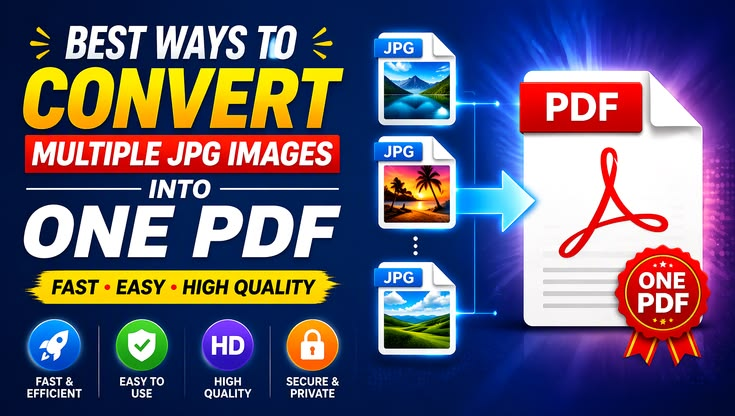
Sometimes, you need to perform the opposite conversion. Instead of turning a PDF into images, you may want to combine your JPG pictures into a single PDF document.
A JPG to PDF converter helps with this task. You can use it to organize scanned documents, photographs, receipts, and other pictures into one file.
This is useful when you need to submit multiple images as a single document or keep related pictures together for easier sharing.
PDF to JPG vs. JPG to PDF: What’s the Difference?
Although both processes involve PDF and JPG formats, they serve different purposes.
| Conversion | What It Does | When to Use It |
| PDF to JPG | Changes PDF pages into image files | Sharing document pages as pictures |
| JPG to PDF | Combines JPG images into a PDF document | Organizing multiple images into one file |
Choosing the right conversion depends on what you want to do with your files. If you need individual pictures, PDF to JPG is the suitable option. If you want one organized document containing several images, JPG to PDF is more appropriate.
Frequently Asked Questions
1. How can I convert PDF into JPG for free?
You can use an online PDF to JPG converter. Upload your PDF, start the conversion, and download the resulting images. Check the website’s terms for any file size or usage restrictions.
2. Can I convert a PDF to JPG without installing software?
Yes. Many online converters work directly in your browser, so you don’t need to install additional programs.
3. Can I convert a PDF with multiple pages into JPG images?
Yes. A suitable converter can turn each PDF page into a separate JPG image, depending on the tool’s available features.
4. Does converting PDF to JPG reduce image quality?
It can. The final image quality depends on the original document, resolution, and conversion settings. Higher-quality conversion settings can help preserve more detail.
5. Can I convert JPG images back into PDF?
Yes. A JPG to PDF converter allows you to combine one or more pictures into a PDF document.
Final Thoughts
Converting PDF documents into JPG images is a practical way to make your files easier to share and use across different platforms. Whether you are working with scanned documents, photographs, or regular PDF pages, an online converter can save time and simplify the process.
The important thing is to choose a tool that supports the conversion you need and provides clear information about file quality and privacy. Once you understand the basic steps, changing between PDF and JPG formats becomes a simple part of your everyday digital work.